2D to 3D Converter for VR
Convert any 2D photo or video into immersive 3D VR side-by-side (SBS) or VR180 for Apple Vision Pro and Meta Quest — fast, simple, and high quality. Looking to convert 2D to VR specifically? Same engine, VR-focused guide.
AI Depth Estimation
Multiple depth models and tunable settings (strength & convergence) to get natural-looking 3D.
Image + Video Support
Upload photos or videos and download VR-ready outputs in common formats.
SBS or VR180 Output
Keep your framing with side-by-side (SBS), or choose VR180 to watch the scene around you at real size in a headset.
Before and after
A single flat photo goes in. Volumx estimates the depth of every pixel and builds the view for your other eye, so the result has real depth while keeping exactly the framing you shot.
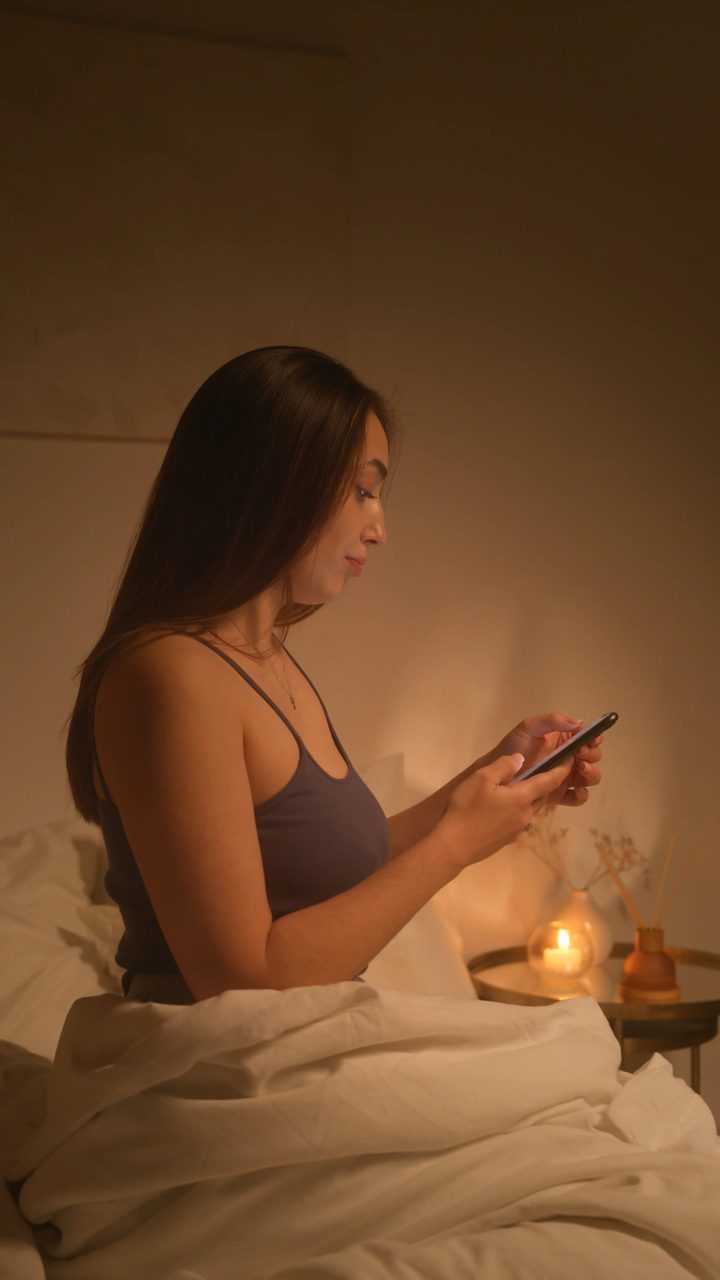
Shot on a phone. No 3D camera needed.
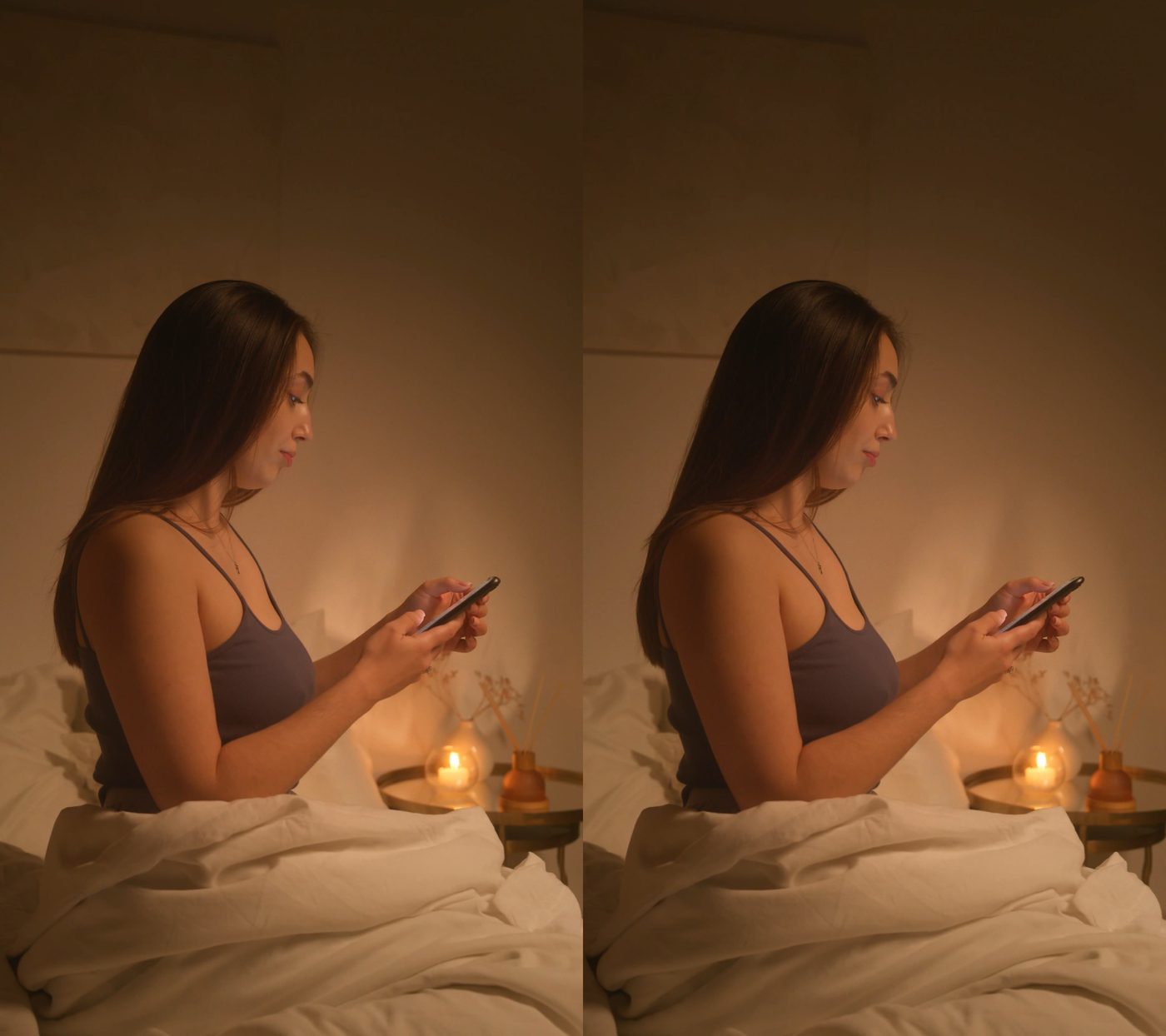
Left and right eye in one file. Open it in any 3D player or headset set to SBS and the scene has depth — the candle sits behind her hands, the wall behind the bed.
Want the scene to surround you instead of sitting on a 3D screen? The same photo can also be converted to VR180.
How it works
- Upload a 2D photo or video.
- Choose SBS or VR180, pick a scene type, and adjust 3D strength & convergence.
- Download your converted 3D VR file.
Tip: If you’re new to 3D, start with moderate strength and lower convergence for comfort.
FAQ
What is the difference between 2D to 3D and 2D to VR?
They describe the same conversion. "2D to 3D" refers to adding stereo depth; "2D to VR" refers to watching that result in a headset. Volumx produces side-by-side (SBS) output, which covers both — see the 2D to VR converter page.
What is VR180, and when should I use it instead of SBS?
VR180 projects each eye's view onto a 180° half-sphere, so in a headset the scene surrounds you at real size instead of sitting on a flat screen. Use it for photos and fixed-camera video you want to step into; use SBS when you want the original composition kept as-is. VR180 costs twice the credits, and free accounts get five VR180 conversions. Read the full 2D to VR180 guide.
Do I need an account?
You can learn about the converter without logging in. Converting requires signing in.
How long does a conversion take?
Images typically finish in seconds. Videos depend on length and resolution — a short clip usually takes a few minutes on GPU-accelerated hardware.
Ready to convert your 2D content to 3D?
Start with free daily credits, upgrade anytime.