2D to VR Converter
Convert 2D to VR in your browser. Volumx uses AI depth estimation to turn any flat 2D photo or video into 3D VR side-by-side (SBS) or immersive VR180 content for Apple Vision Pro, Meta Quest 3, and Pico — no software to install, free to start.
2D to VR: before and after
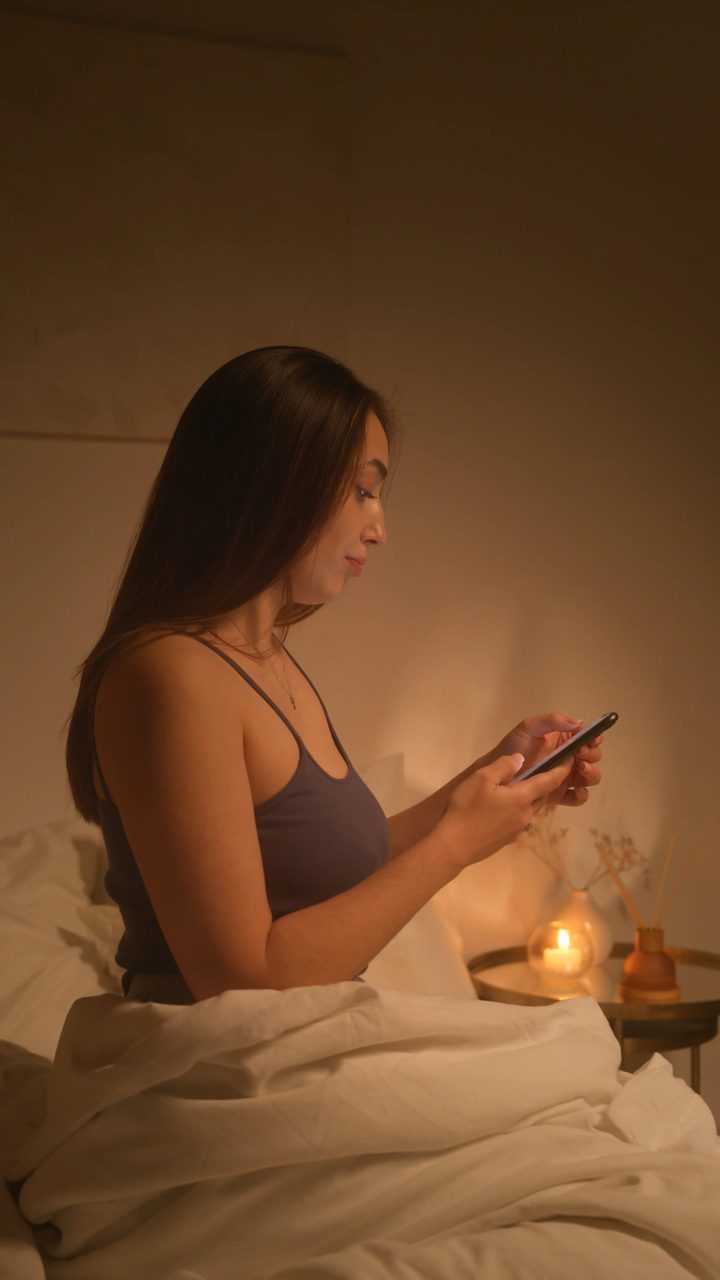
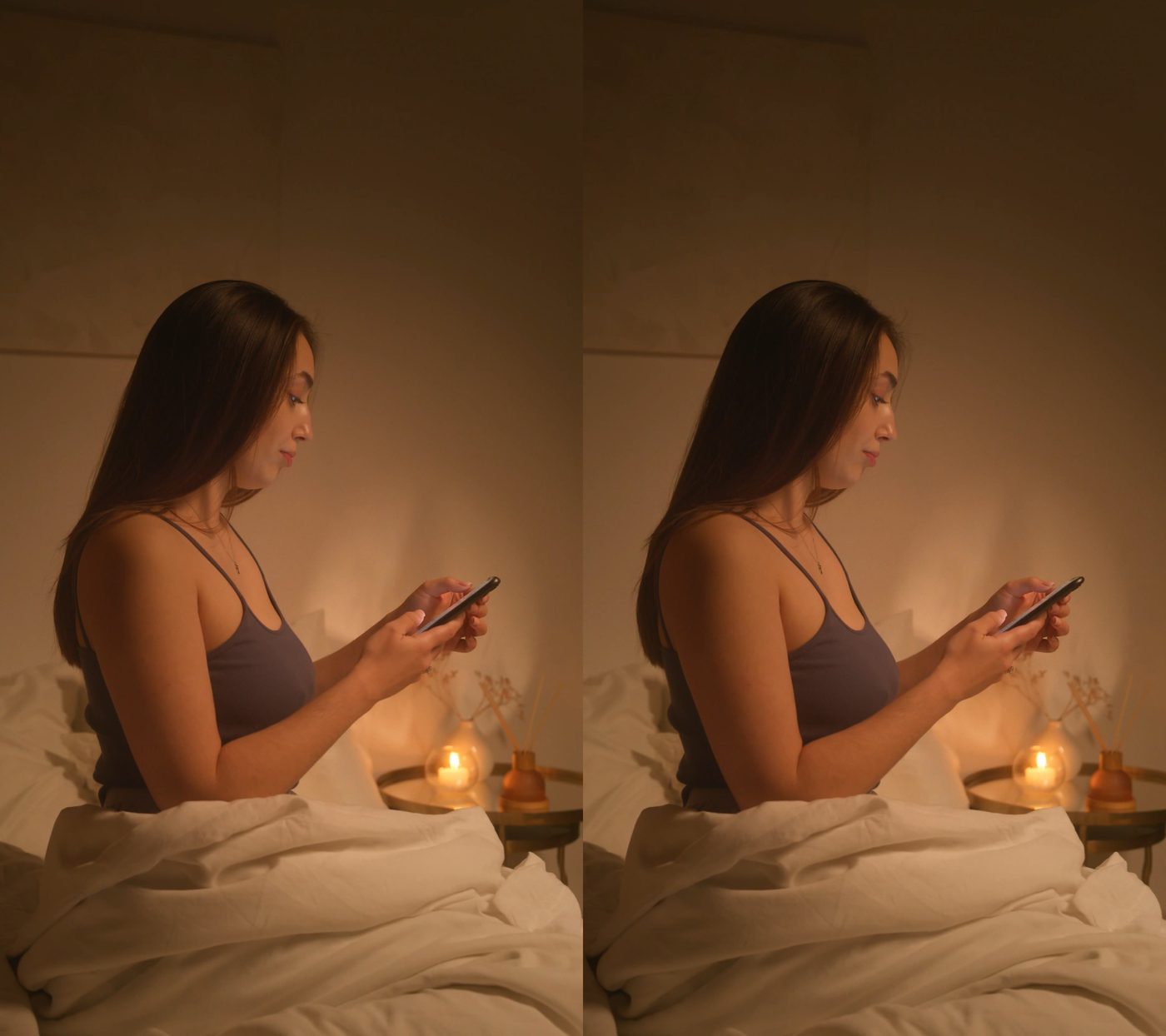
The converted file contains two slightly offset views. Your headset shows one to each eye, which is what produces the sense of real depth in VR.
Two ways to watch in 3D: SBS or VR180
Every conversion starts the same way: Volumx estimates depth for each pixel and builds a second view for your other eye. What changes is how that stereo pair is packaged for the headset.
The original shot, with depth. Left and right views sit side by side in one file and play in any 3D player or headset set to SBS mode. The best choice when you want the picture exactly as it was composed.
- ✓ Photos and videos
- ✓ Plays in any SBS-capable player
- ✓ Standard credit price
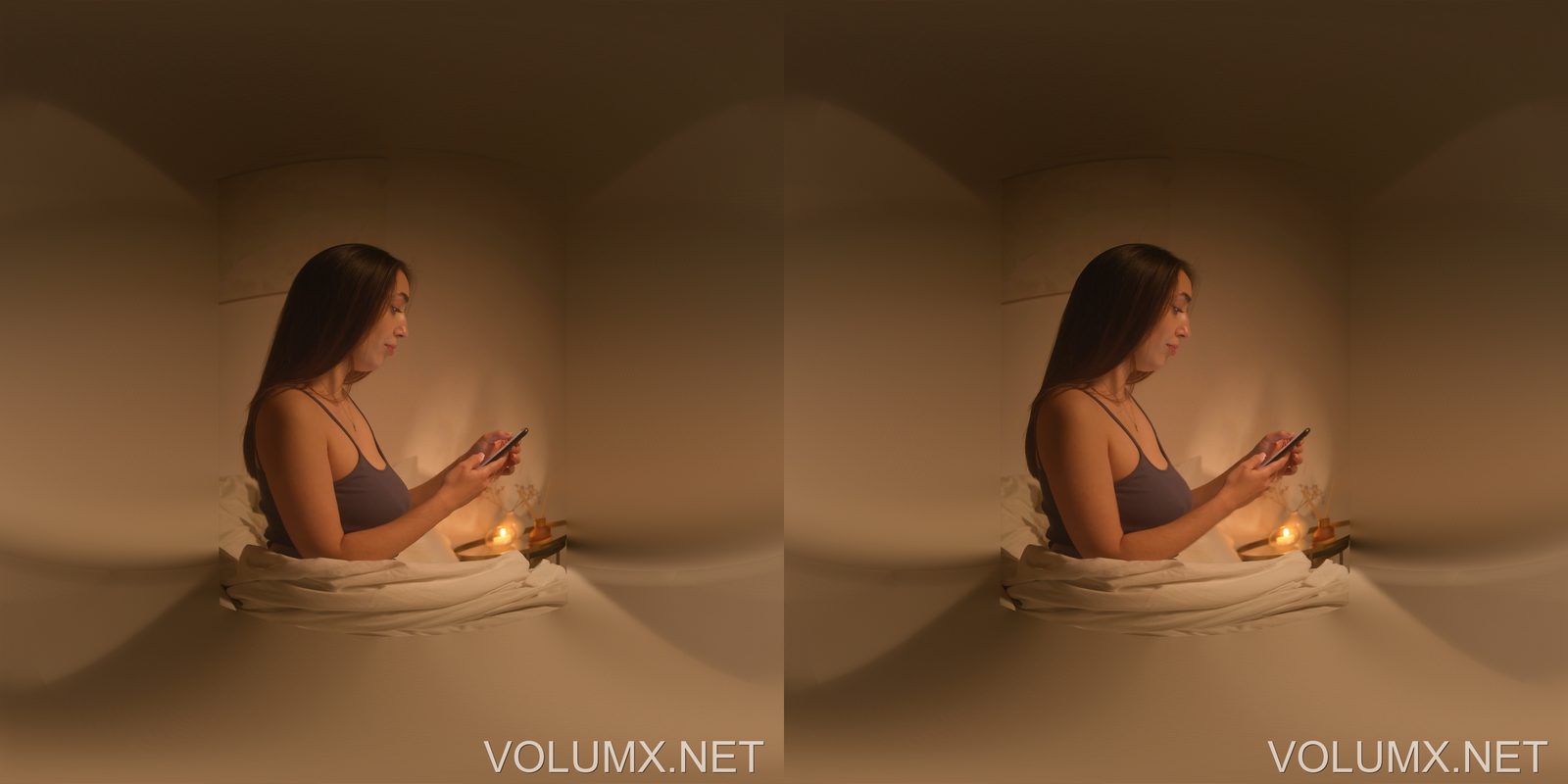
The same footage, remapped onto a 180° half-sphere for each eye. In a headset the subject stands at natural size and distance, the edges of the frame fall away, and turning your head looks around the scene rather than at a screen.
- ✓ Photos and videos (fixed-camera clips look best)
- ✓ Camera angle detected automatically, or set it by hand (40°–120°)
- ✓ Up to 2048 px per eye, three depth strengths
- ✓ 2× the standard credit price
How to convert 2D to VR in 3 steps
-
STEP 1
Upload your 2D file
Drop in a 2D photo or video. Common image and video formats are supported directly in the browser.
-
STEP 2
Choose SBS or VR180, then tune the depth
Pick an output mode. For SBS, adjust 3D strength and convergence. For VR180, leave the camera angle on auto, choose a depth strength, and tilt photos if they were shot looking up or down.
-
STEP 3
Download for VR
Get a ready-to-watch file. Copy it to your headset and open it in a player set to SBS, or to 180° left-right for VR180.
Works with every major VR headset
Volumx exports standard side-by-side 3D and standard VR180 rather than a proprietary format, so converted files play almost anywhere:
Why use Volumx to convert 2D to VR
Runs in the browser
No install, no plugin, no local GPU needed. Conversion happens on cloud GPUs and works from any OS.
Photos and video, SBS and VR180
Most free tools only handle stills. Volumx converts 2D video too, with temporally stable depth so frames don't flicker, and exports either format from the same upload.
Multiple depth models
Different scenes need different models. Switch between them and compare instead of being locked to one result.
Free credits to start
Bonus credits on sign-up plus daily free credits, so you can test 2D to VR conversion before paying anything.
2D to VR — frequently asked questions
What does a 2D to VR converter actually do?
It estimates the depth of every pixel in a flat image, then synthesizes a second viewpoint to build a stereo pair. The two views are packed side-by-side so a headset can show each eye a slightly different image — which your brain fuses into 3D.
Can I convert 2D video to VR, not just photos?
Yes. Video is processed with temporally stable depth models so depth stays consistent across frames, and the result is exported as a VR-ready side-by-side video.
Will it work on Meta Quest 3 and Apple Vision Pro?
Yes. Output is standard SBS 3D or standard VR180, both of which play on Apple Vision Pro, Quest 2 and 3, Pico, and most desktop 3D players. You just need a media player that supports side-by-side, or 180° left-right for VR180.
What is the difference between 3D SBS and VR180?
Both are stereo 3D, so each eye gets its own view. SBS keeps your original rectangular frame and adds depth to it. VR180 projects each eye's view onto a 180° half-sphere, so the scene surrounds you in a headset instead of sitting on a virtual screen.
Why does my VR180 file look stretched on my computer?
A VR180 file stores each eye as a 180° projection, which looks warped on a flat screen. Open it in a VR headset, or in a desktop player with a 180° mode, and it displays correctly.
How much does VR180 cost?
VR180 uses twice the credits of a standard SBS conversion. Free accounts can run five VR180 conversions in total. Every paid plan removes that limit, and Gold runs VR180 without spending credits.
Is there a free 2D to VR converter?
Volumx is free to start — bonus credits at sign-up plus free credits daily. Paid plans exist for bigger files and higher volume, but you can convert without paying.
How long does conversion take?
Images usually finish in a few seconds. Videos depend on length and resolution — a short clip typically takes a few minutes on GPU-accelerated hardware.
Do I keep the rights to what I convert?
Yes — your uploads and converted results stay yours. Files are private by default; sharing to the public gallery is opt-in.
Related
- 2D to VR180 converter — everything about the immersive 180° format
- 2D to 3D converter — the same engine, framed around 3D output
- Conversion gallery — real 2D to VR results from the community
- Start converting — upload your first file
Ready to convert 2D to VR?
Start free with daily credits — no install, no card required.