New output format
2D to VR180 Converter
Step inside your photos and videos. Volumx turns any flat 2D photo or video into VR180 — immersive 180° stereo that fills your view in Apple Vision Pro, Meta Quest and Pico. No 3D camera, no software to install, free to start.
Free accounts include 5 VR180 conversions. Paid plans are unlimited.
From one flat photo to a scene you can step into
Start with an ordinary photo. Volumx estimates the depth of every pixel, builds the view for your other eye, and wraps both onto a 180° half-sphere — so the subject stands at natural size and distance and the edges of the picture fall away around you.
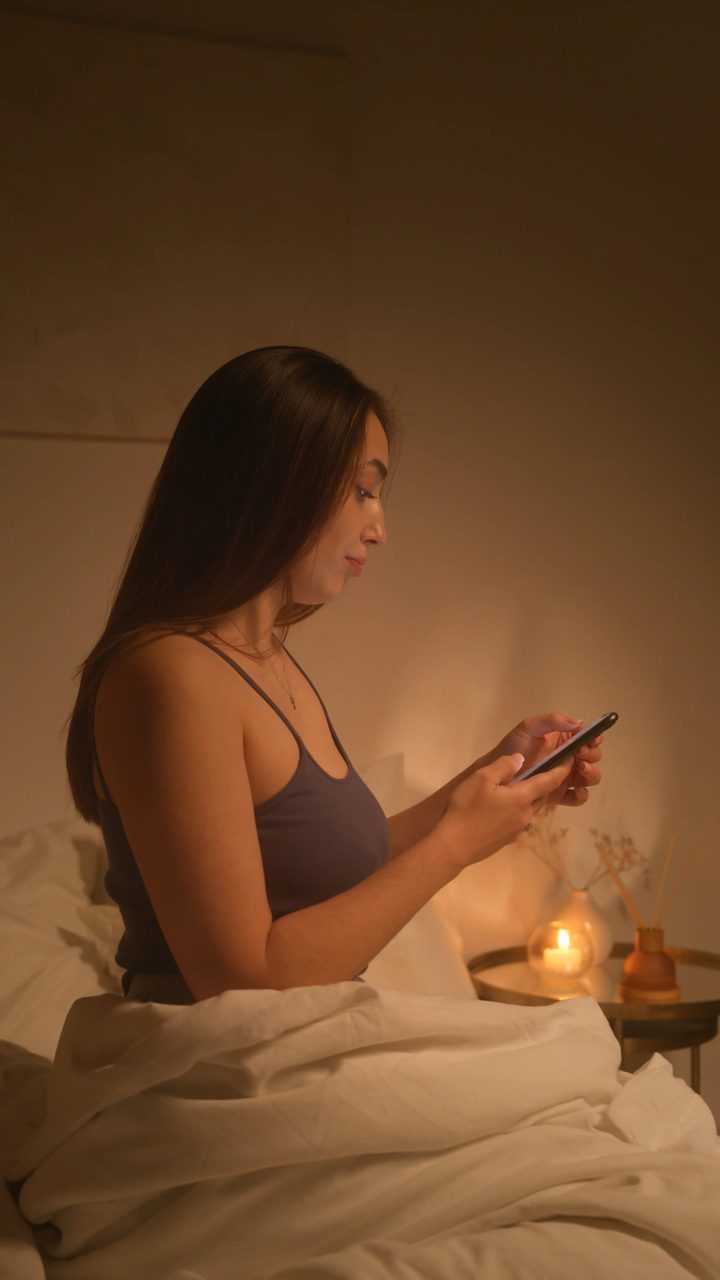
Shot on a phone. No stereo camera, no 360° rig.
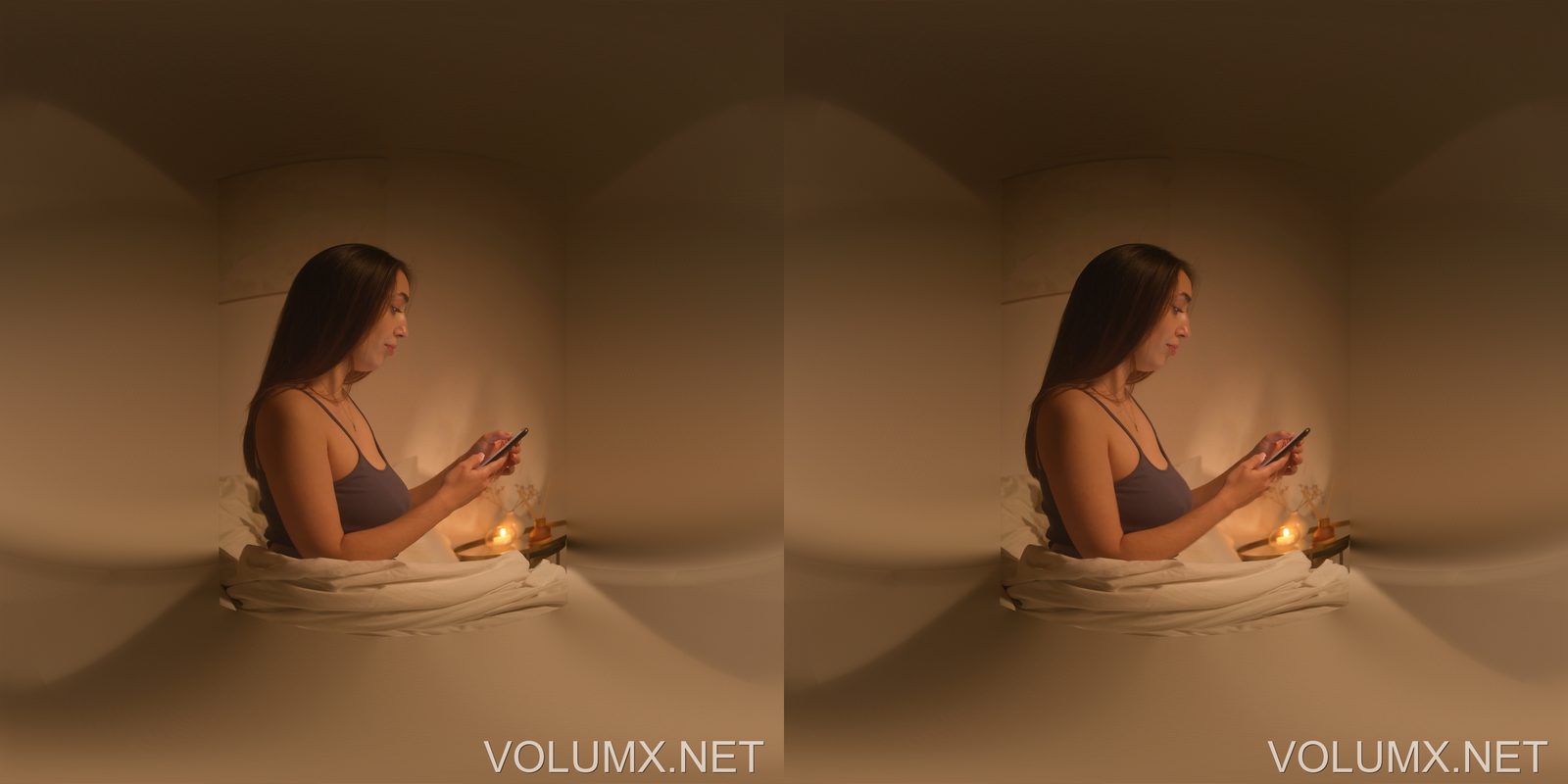
What the headset receives: left and right eye, each a 180° projection. It looks warped here on purpose — in VR it wraps around you and the room stays in place as you look around.
VR180 or 3D side-by-side?
Both come from the same photo and the same depth estimate. The difference is how you watch them.
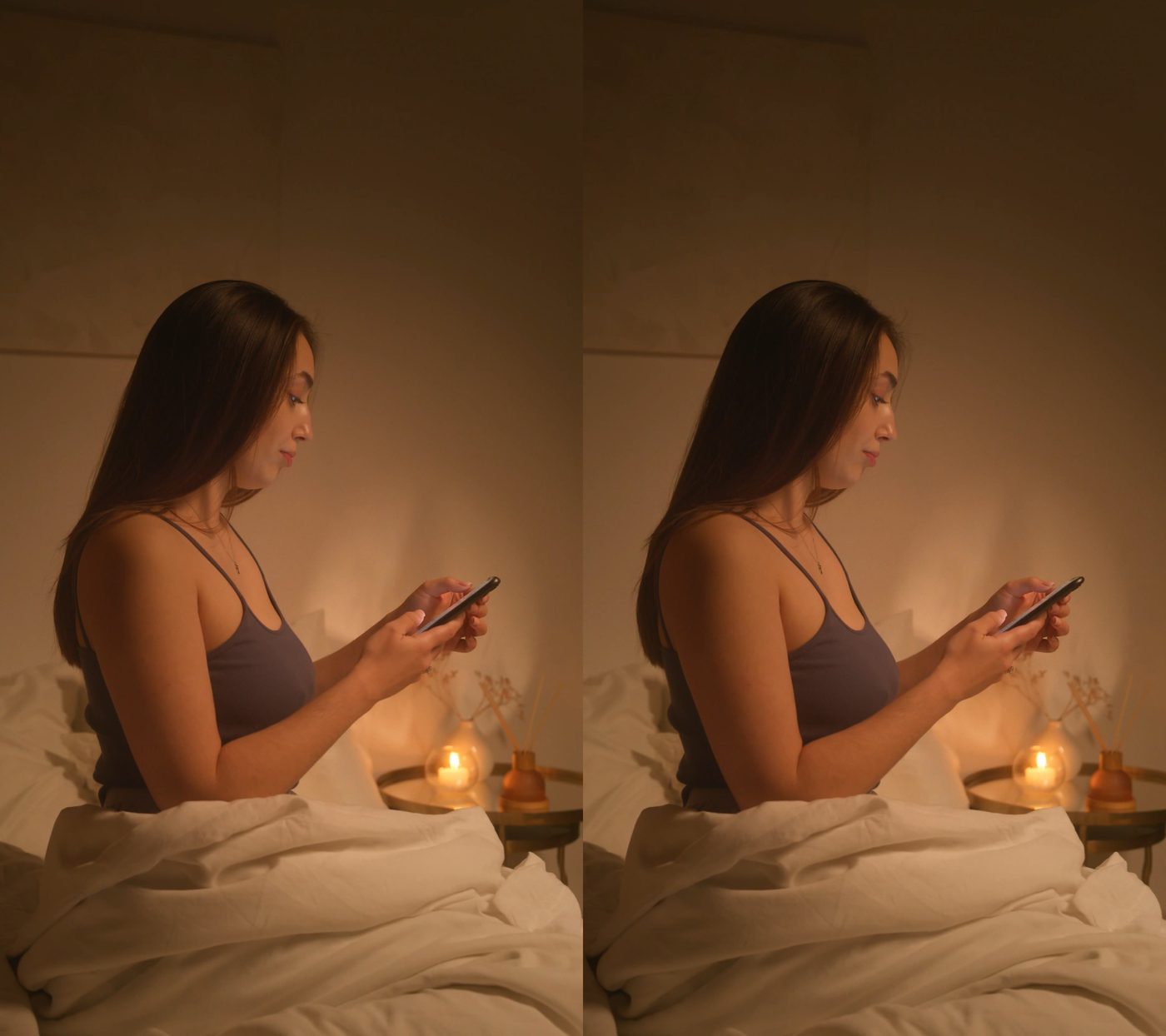
The original composition with depth, shown as a 3D screen in front of you. Best for films and edited clips. 2D to 3D guide →
No frame, no screen edge. Best for places, people and fixed-camera video you want to be inside of.
How it works
1. Upload a 2D file
A regular photo (JPG, PNG) or video (MP4, MOV, MKV, AVI) from any camera or phone. Stereo and 360° inputs are not needed.
2. Choose VR180
Leave the camera angle on auto, pick a depth strength, and for photos tilt the view up or down if the horizon is not centred. A preview line shows where you are pointing.
3. Download and watch
Copy the file to your headset and open it in a player set to 180° left-right stereo. Photos finish in about a minute; videos depend on length.
What you control
Camera angle
Detected automatically from the picture so the scene is wrapped at the right scale. Prefer to set it yourself? Choose anything from 40° to 120° — wide-angle phone shots sit around 70–90°.
Depth strength
Gentle, Normal or Strong. Normal suits most scenes; Strong exaggerates the separation for dramatic landscapes and close subjects.
Resolution
Up to 4096 × 2048 for both eyes combined (2048 px per eye), with a lighter 2048 × 1024 option for quick previews or older headsets.
Photos and videos
Photos export as JPG or PNG with VR metadata built in. Videos export as MP4 at the original frame rate, with a Standard or High quality setting.
What converts best
Great candidates
- • Landscapes, rooms, streets and travel photos
- • Portraits and group shots at a natural distance
- • Fixed-camera video: concerts, interviews, sports from the stands, a view from a window
- • Wide-angle phone photos and action-camera stills
Harder cases
- • Video with lots of camera movement or frequent scene cuts — the surrounding background can look inconsistent
- • Extreme close-ups and macro shots
- • Heavily cropped or very low-resolution images
- • Content that is already stereo or 360° — upload the flat original instead
Watching your VR180 file
Apple Vision Pro
Add the file to Photos or Files and open it; Vision Pro recognises VR180 photos and videos and plays them as immersive media.
Meta Quest & Pico
Copy the file to the headset or stream it from your PC, then pick 180° · left-right in the player's layout menu if it is not detected.
Desktop players
Any player with a 180° VR mode works. In a normal 2D player the file looks stretched — that is how VR180 is stored, not a problem with the conversion.
Pricing
A VR180 conversion costs 2× the credits of a standard side-by-side conversion (standard is 1 credit per 10 MB of input).
- • Free — 5 VR180 conversions, plus a free credit every day
- • Bronze / Silver — unlimited VR180, credits apply
- • Gold — unlimited VR180 at no credit cost
Converted files stay available for 30 days.
FAQ
What is VR180?
A stereoscopic photo and video format that covers 180° in front of you, one view per eye. In a headset the scene surrounds you at real size instead of sitting on a flat virtual screen.
Can I convert a normal 2D video to VR180?
Yes. Depth is estimated for every frame, a second eye view is built, and both are projected onto the half-sphere. Fixed-camera clips look the most convincing.
VR180 or 3D SBS — which should I pick?
Pick VR180 when you want to be in the scene: photos, rooms, places, fixed-camera video. Pick 3D SBS when the original composition matters, for example films and edited clips.
Why does the file look stretched on my computer?
VR180 stores each eye as a 180° projection, which looks warped on a flat screen. Open it in a headset or a player with a 180° mode and choose the left-right layout.
Do I need a special camera?
No. Any phone or camera photo works. Volumx builds the second eye and the 180° projection from a single flat image.
How long does it take?
Photos usually finish in about a minute. Videos depend on length and resolution — expect several minutes for a short clip and longer for full-length footage.
Related
- 2D to VR converter — the overview of both output formats
- 2D to 3D converter — side-by-side 3D that keeps your framing
- Conversion gallery — results shared by the community
Ready to step inside your photos?
Five free VR180 conversions on every new account. No camera, no install.